
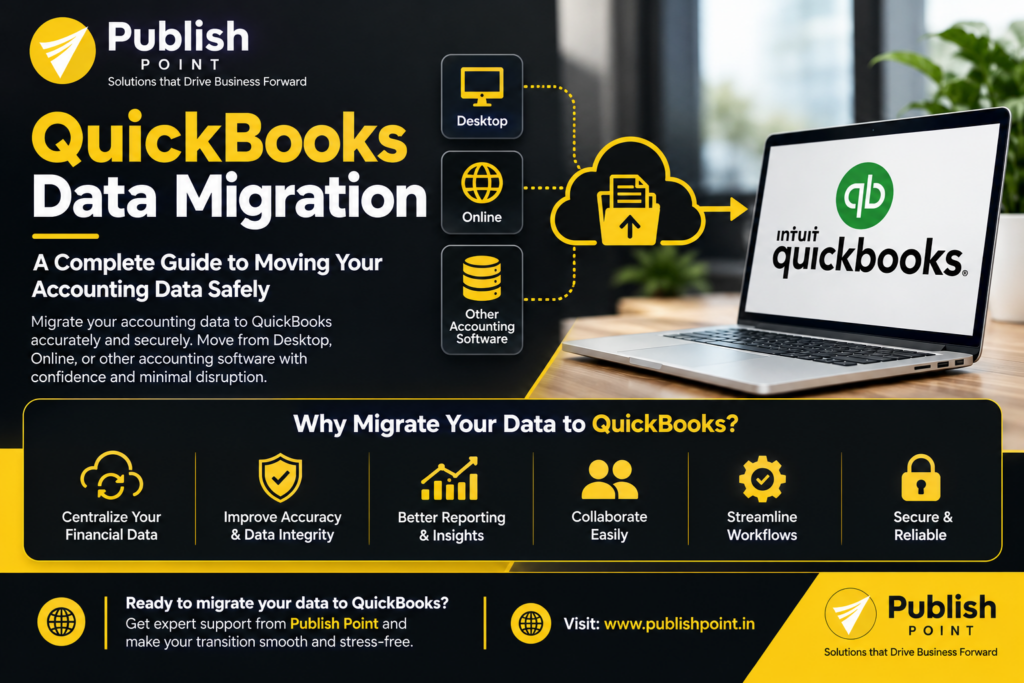
Managing financial information across different accounting systems can be challenging for growing businesses. Whether you are switching accounting software, upgrading from QuickBooks Desktop to QuickBooks Online, or consolidating financial records from multiple platforms, moving your data accurately is essential.
QuickBooks data migration helps businesses transfer financial information from one accounting system to QuickBooks while maintaining organized records and supporting business continuity. However, a successful migration requires more than simply transferring files. It involves data preparation, account mapping, validation, and testing to ensure your financial information remains accurate and accessible.
In this guide, we will explain what QuickBooks data migration involves, common migration challenges, the key steps in the process, and how professional migration support can help your business make the transition smoothly.
What Is Data Migration?
QuickBooks data migration is the process of transferring financial and accounting information from an existing system into QuickBooks Desktop or QuickBooks Online.
Depending on your business requirements and source accounting software, the migration may include:
- Customer and vendor records
- Chart of accounts
- Invoices and bills
- Payments and outstanding balances
- Bank transactions and reconciliation records
- Products and services
- Inventory information, where supported
- Journal entries and general ledger data
- Historical financial reports and transaction records
The exact data that can be transferred depends on the source platform, the QuickBooks destination, file compatibility, and the migration method used.
A well-planned QuickBooks data migration helps businesses maintain financial continuity, reduce manual data entry, and organize their accounting information within their new system.
Why Do Businesses Need QuickBooks Data Migration?
Businesses migrate accounting data for several reasons. Understanding your objectives before starting the process helps determine the right migration approach.
1. Moving From QuickBooks Desktop to QuickBooks Online
Many businesses consider moving from QuickBooks Desktop to QuickBooks Online to access cloud-based accounting features and work with financial information remotely.
This transition requires careful preparation to ensure that supported company data, account balances, transactions, and other relevant records are transferred correctly.
2. Switching From Another Accounting Software
Businesses using Sage, Xero, or other accounting platforms may want to move their financial operations to QuickBooks.
During this process, account structures, transaction formats, tax settings, and customer or vendor records may differ between systems. Proper data mapping helps address these differences before importing the information.
3. Improving Financial Record Management
Some businesses have years of accounting information spread across spreadsheets, accounting applications, and separate company files.
Migrating the required data into QuickBooks can help centralize financial records and create a more consistent accounting workflow.
4. Supporting Business Growth
As businesses expand, their accounting requirements may become more complex. A planned migration can help align accounting processes with changing operational needs, reporting requirements, and financial management workflows. QuickBooks Data Migration
Common Challenges in QuickBooks Data Migration
Although data migration offers several benefits, the process can create problems when it is not handled correctly.
Inconsistent or Duplicate Data
Customer names, vendor records, and account details may be duplicated or formatted differently in the source system. Importing these records without reviewing them can create unnecessary clutter in QuickBooks.
Solution: Clean and standardize the source data before migration. Identify duplicates and agree on consistent naming conventions.
Incorrect Account Mapping
Different accounting platforms may use different account names, numbering systems, or account classifications. Mapping accounts incorrectly can affect how transactions appear in financial reports.
Solution: Review the source chart of accounts and map each relevant account to the appropriate QuickBooks account before transferring the data.
Missing or Incomplete Transactions
Certain transaction types, attachments, custom fields, or historical details may not transfer directly between platforms.
Solution: Identify the required records in advance, confirm compatibility, and determine whether additional conversion or manual handling is necessary.
Incorrect Opening Balances
Opening balances must align with the approved financial records as of the migration date. Errors can affect the balance sheet, accounts receivable, accounts payable, and subsequent reconciliation activities.
Solution: Record the starting balances, reconcile relevant accounts, and compare the results after migration.
Business Disruption
An unplanned migration can interrupt invoicing, payment processing, reporting, and other accounting activities.
Solution: Establish a migration schedule, communicate responsibilities, and plan the transition around important accounting deadlines.
Step-by-Step QuickBooks Data Migration Process
A structured migration process helps reduce errors and makes it easier to identify and resolve issues.
Step 1: Assess Your Existing Accounting System
Begin by identifying your current accounting software, the version you use, the volume of financial data, and your target QuickBooks product.
Determine which records must be transferred, how much historical information is required, and whether any data needs to be archived rather than migrated.
Step 2: Back Up Your Accounting Data
Create a secure backup of your existing accounting records before making changes.
The backup provides a reference point if you need to investigate discrepancies or restore information during the migration process.
Restrict access to financial files and use appropriate security measures when sharing data with migration specialists.
Step 3: Clean and Prepare the Data
Review customer and vendor records, account balances, transaction dates, and duplicate entries.
Resolve known discrepancies where possible. This preparation helps reduce the risk of carrying inaccurate or unnecessary information into QuickBooks.
Step 4: Map Accounts and Transactions
Match the source system’s accounts and data fields with their appropriate destinations in QuickBooks.
Pay particular attention to account classifications, tax-related information, payment records, inventory data, and outstanding balances.
The mapping process should reflect your business’s accounting requirements rather than relying on assumptions.
Step 5: Perform the Data Migration
Transfer the approved information using a migration method appropriate for your source system and QuickBooks destination.
Depending on the project, this may involve built-in conversion tools, supported imports, third-party migration utilities, or specialized data conversion.
Not every accounting platform supports a direct or complete transfer, so the process should be selected after reviewing compatibility.
Step 6: Validate the Migrated Data
After the migration, compare the results against your original accounting records.
Important checks include:
- Total debits and credits
- Trial balance
- Balance sheet and profit and loss statement
- Accounts receivable and accounts payable
- Bank balances and reconciliation status
- Customer and vendor balances
- Transaction counts and historical records
Investigate any differences before relying on the migrated data for ongoing accounting activities.
Step 7: Test Your Accounting Workflows
Before fully transitioning, test the activities your team performs regularly, such as creating invoices, recording payments, entering bills, generating reports, and reviewing account balances.
Once the data and workflows have been checked, establish a clear transition date and procedures for handling any remaining records.
QuickBooks Desktop to QuickBooks Online Migration
One of the most common migration requirements is moving from QuickBooks Desktop to QuickBooks Online.
Although both products belong to the QuickBooks ecosystem, they do not necessarily support identical features, workflows, or data structures.
Before migrating, businesses should review:
- The compatibility of their current QuickBooks Desktop version
- The size and condition of the company file
- The availability of required historical transactions
- Inventory and reporting requirements
- Third-party integrations and connected applications
- Features that may work differently in QuickBooks Online
A compatibility assessment helps identify potential limitations before the migration begins. It also helps businesses plan for any adjustments needed after moving to the online platform.
Why Choose Professional QuickBooks Data Migration Services?
Managing accounting data requires attention to detail because even small inconsistencies can affect financial reporting and reconciliation.
Professional migration support can help businesses plan the transition, identify data compatibility issues, map accounts, transfer supported records, and validate the results.
At Publish Point, we help businesses with QuickBooks implementation, accounting data migration, troubleshooting, and integrations.
Our services can support businesses looking to:
- Migrate from QuickBooks Desktop to QuickBooks Online
- Move from Sage or other accounting platforms to QuickBooks
- Prepare and organize accounting data for migration
- Configure QuickBooks to support business requirements
- Address QuickBooks errors and accounting workflow challenges
- Connect QuickBooks with supported third-party applications
Our approach focuses on understanding your existing accounting setup, identifying migration requirements, and helping you move toward a more organized accounting environment.
Every migration is different. We assess the source system, destination, data volume, and business requirements to determine an appropriate migration approach.
How to Prepare for a Successful QuickBooks Data Migration
Before beginning your project, consider the following checklist:
- Identify the source and destination accounting systems.
- Define which financial records and historical periods must be transferred.
- Back up your existing company data.
- Review duplicate records and known accounting discrepancies.
- Confirm the compatibility of required transaction types.
- Document account mappings and opening balances.
- Schedule the migration around important accounting deadlines.
- Validate financial reports and account balances after migration.
- Test essential accounting workflows before completing the transition.
Preparing these details in advance can help make the migration process more predictable and reduce avoidable complications.
Conclusion
QuickBooks data migration is an important step for businesses that want to change accounting platforms, upgrade their existing systems, or consolidate financial information.
A successful migration depends on careful planning, accurate account mapping, secure data handling, and thorough validation. By addressing compatibility issues and checking financial records before going live, businesses can reduce disruption and establish a more reliable accounting workflow.
Whether you are moving from QuickBooks Desktop to QuickBooks Online or transferring financial information from another accounting platform, choosing the right migration approach is essential.
Need help with QuickBooks data migration?
Publish Point can help you assess your accounting data migration requirements, plan the transition, and identify the right approach for your business.
Visit publishpoint.in to learn more about our QuickBooks services or contact our team to discuss your migration requirements.
Make your accounting transition with a clear plan and confidence in your financial records.